
Unsaved Session Detected
Final setup
Confirm the plan's setup on deck, then lock it for operation.
No Pre-Operation Data
This fills in automatically once you move from Plan to Operations.
Track changes
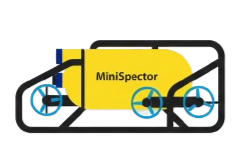
Everything that changed on the equipment after Final setup — thrusters, sensors, tether, the standby MiniSpector — each tied to its issue report and rolled up into the asset record.
Total Dives
0
Successful deployments
Standby Events
0
Delays recorded
Utilization
0%
Dive time vs shift
Maintenance
0
Active interventions
Live Activity Feed
0%
Crew & shift log
The people on this job and the shifts they worked — one roster, one log, the same names on both.
Shift log
No shifts recorded yet
Add the crew above first, then log the shifts they worked.Minispector Systems
| Primary | Minispector No. | Action |
|---|
Payload Configuration
No equipment currently assigned. Select a setup method below:
Active Configuration
Camera & Lighting
| Component | Status | Model | Calibration | Notes |
|---|
Payloads
| Payload | Status | Model | Calibration | Notes |
|---|
Auxiliary Tool Status
| Tool / Equipment | Status | Notes / Condition |
|---|
Software System Status
Ready to Dive
Dive Log
No dives recorded
Standby Time Log
No standby time recorded
Maintenance Log
No maintenance recorded
Daily Progress Report
Built from the Dive, Standby and Maintenance logs and the day's shift crew · QMS-P09-F09
Issue Report
No issues recorded
Remarks
Mission setup
Name the job, pick the operation scope and the MiniSpectors, then start.
Project details
Required to start. The project is created with this code.
Description
Mission details & weather
Weather conditions
Operation scope
MiniSpectors
The first unit you pick flies as main; tap "Make main" on a standby to swap. Each unit's serial and description are typed in Equipment setup.